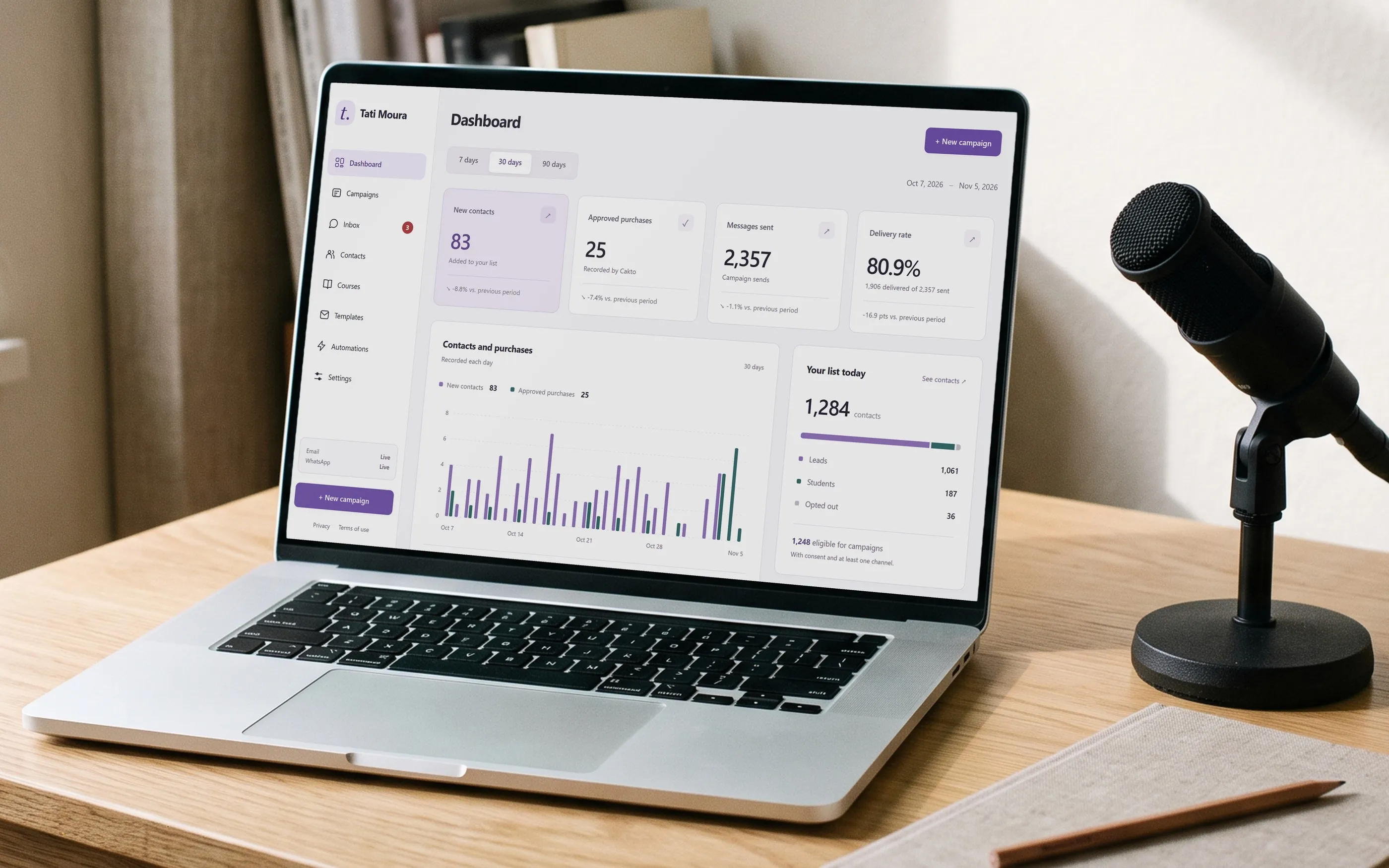
Overview
Recado is a web app I designed and built for an online course creator in Brazil. She sells her courses through Cakto, a Brazilian checkout platform, and announces each new class to an email list and a WhatsApp list.
Her brief was one place to set up a launch: the course, the dates, one email and one WhatsApp message. From there the app had to send both on its own, so she would never need to open Brevo or the WhatsApp provider.
The screens on this page use demo data and a made-up teacher, Tati Moura, so none of the client’s contacts are shown. Her version of the app is in Portuguese.
The limits
Both channels limit how much she can send in a day. Her Brevo plan allows 300 emails a day, and Meta caps how many WhatsApp conversations a business number can start in 24 hours. WhatsApp marketing messages also have to use templates Meta has approved, and a typed reply is only allowed for 24 hours after the contact’s last message.
The brief added two rules of its own. Anyone who opts out on one channel is out of both, for good. And anyone who buys the course stops getting messages about it.
Setting up a launch
A new campaign takes four steps: course and channels, audience and dates, message, and review. The audience can be the whole list, people who haven’t bought, or current students, and it can be narrowed to the lists people signed up through. Recipient counts update as she picks, and the summary works out how many days each channel needs at its daily limit. When the deadline is too tight, it says so before she confirms.
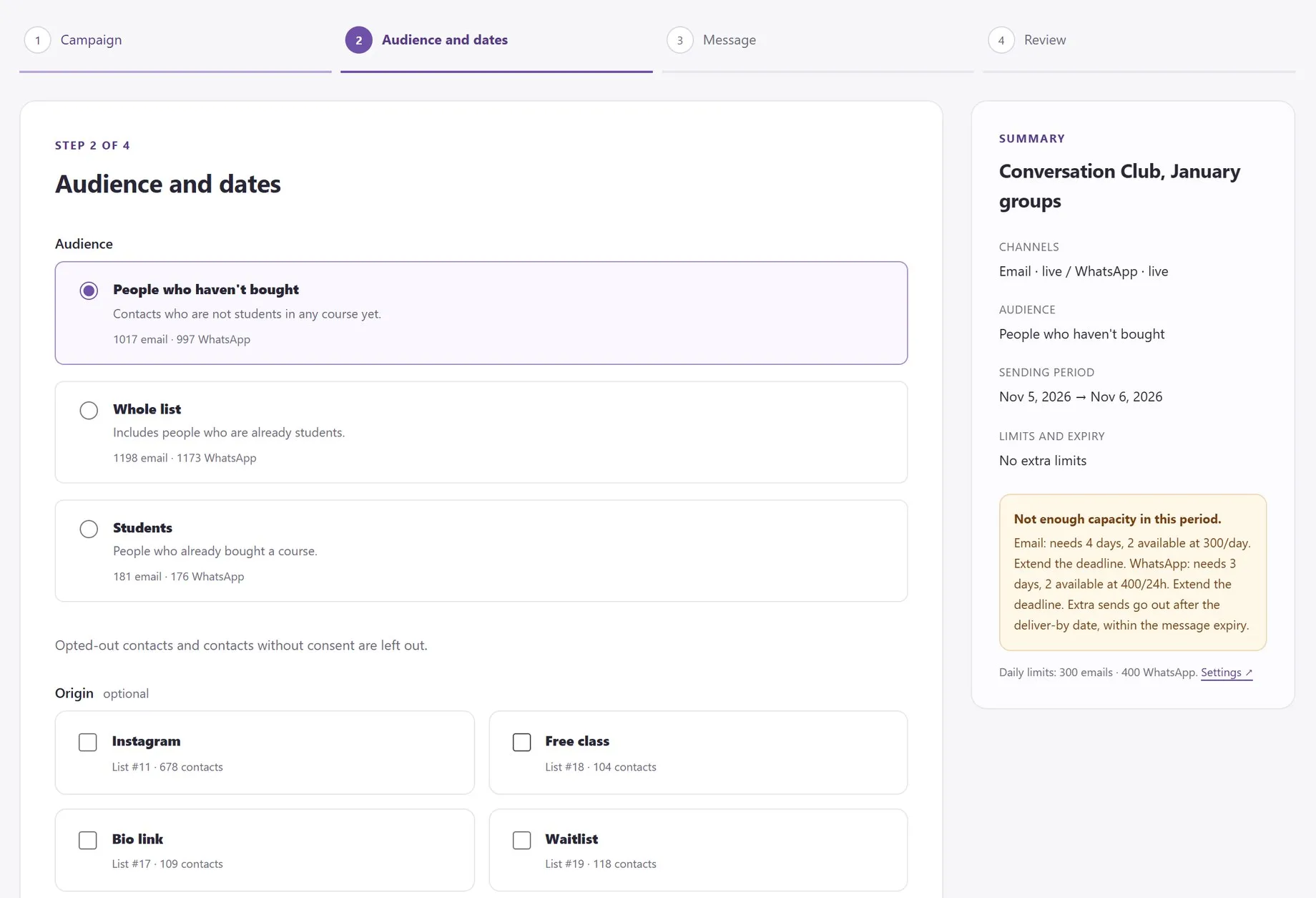
The review step shows the email and the WhatsApp message the way the recipient will see them, with the merge fields filled in from a sample contact, and she can send a test to herself. Drafts can be saved and finished later.
Sending
After she confirms, the app spreads the messages over the days before the deadline. Cakto reports each purchase by webhook, the buyer is marked as a student, and their remaining messages are skipped. A STOP reply on WhatsApp or an unsubscribe from an email takes the contact out of every campaign.
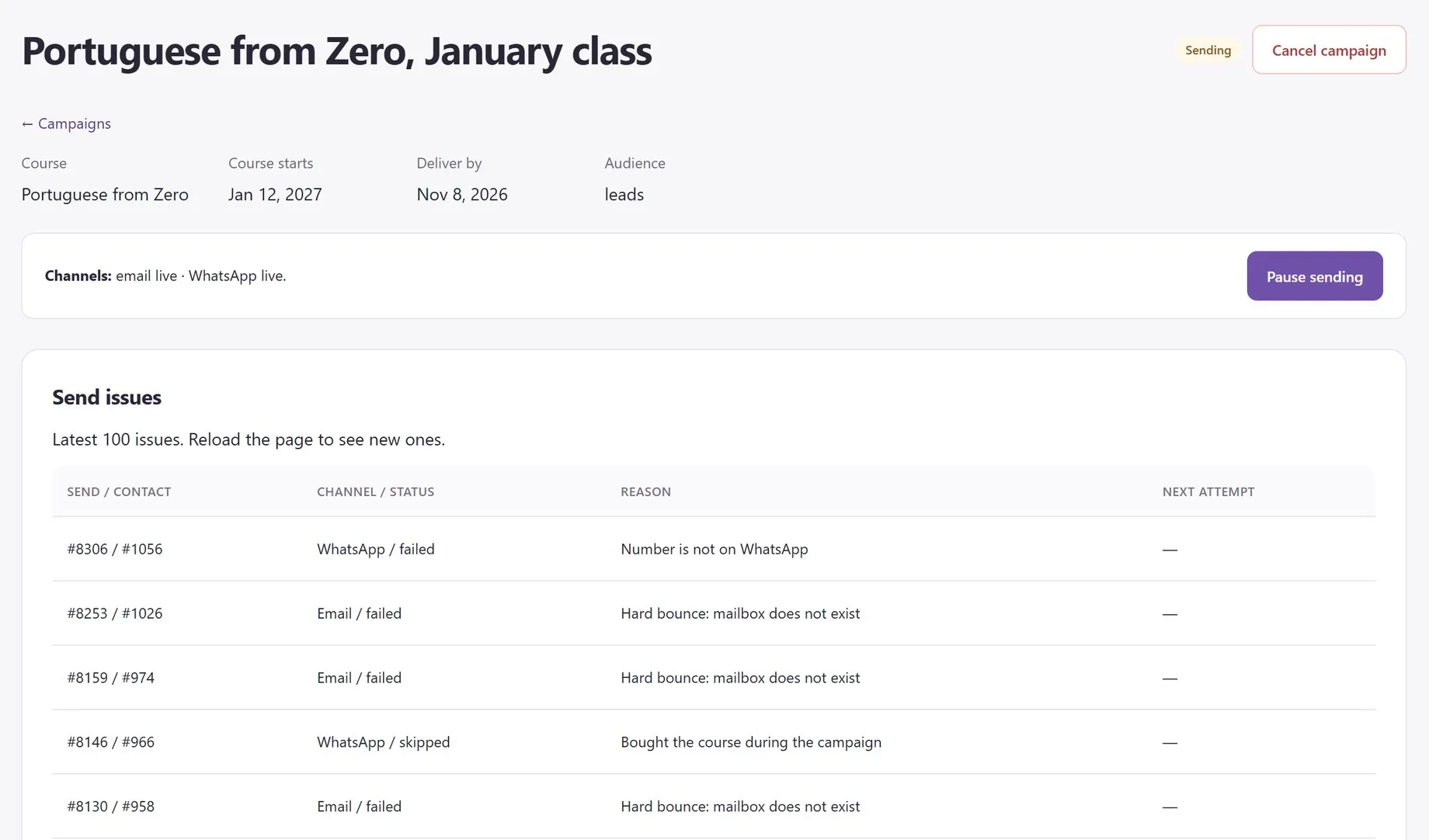
Every failed or skipped message is listed with its reason. Failed messages are not resent automatically, because getting the same WhatsApp message twice is worse than missing one. When WhatsApp or Brevo gives an unclear answer, the message is marked for her to check.
If the same account or billing error comes back for three different contacts, the campaign pauses until she looks at it. When a provider is down, sending stops for 5 minutes, then 10, 20 and at most 30, and starts again on its own.
Automations
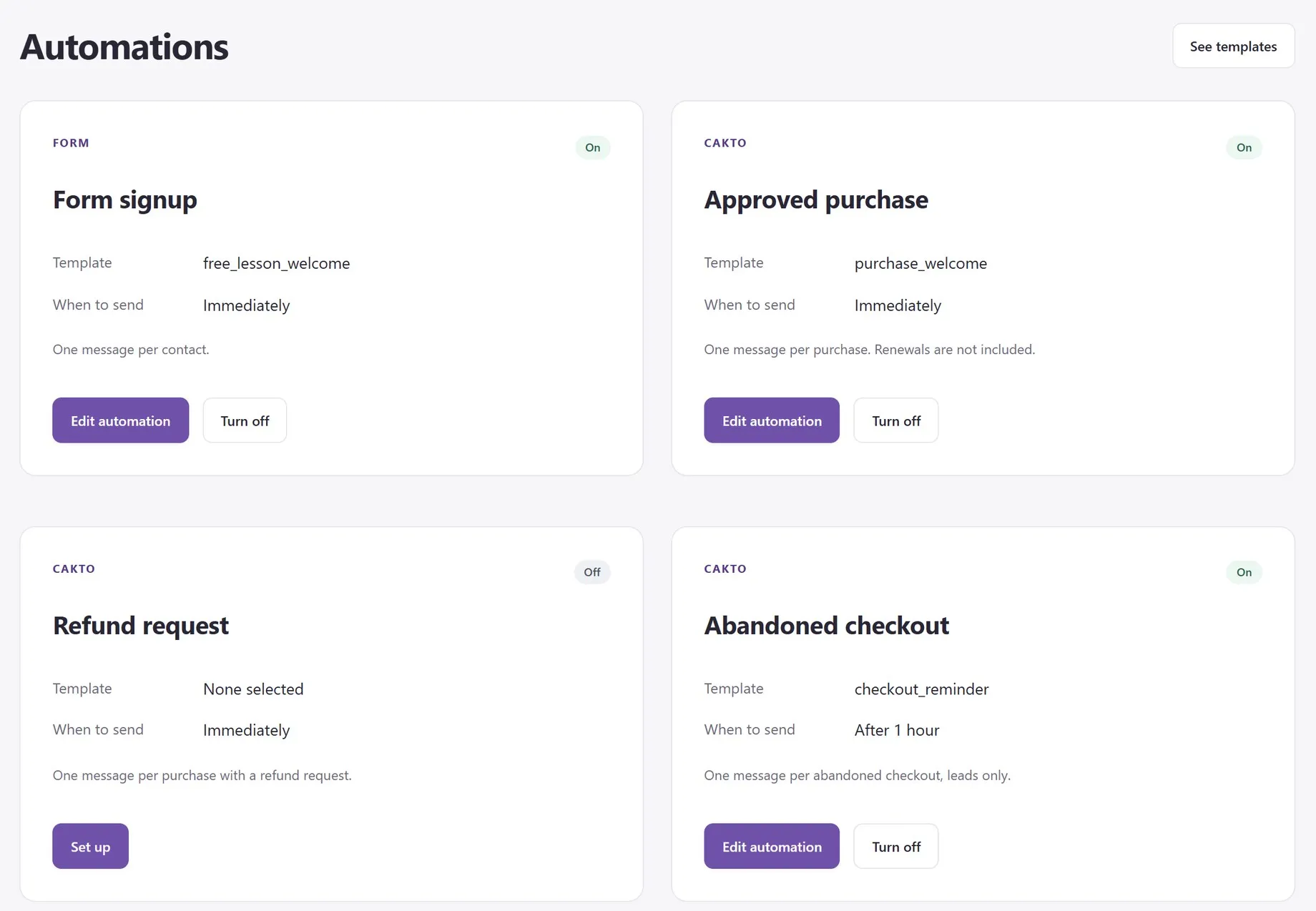
Four WhatsApp messages can go out on their own: a welcome after a signup on her form, a message after an approved purchase, a reply to a refund request and a reminder after an abandoned checkout. Each one sends once per event, with an optional delay of up to 30 days. A purchase cancels any welcome or checkout reminder still waiting for that person. The automations share the WhatsApp daily limit with her campaigns, and the campaign forecast counts the ones in the queue.
Inbox and dashboard
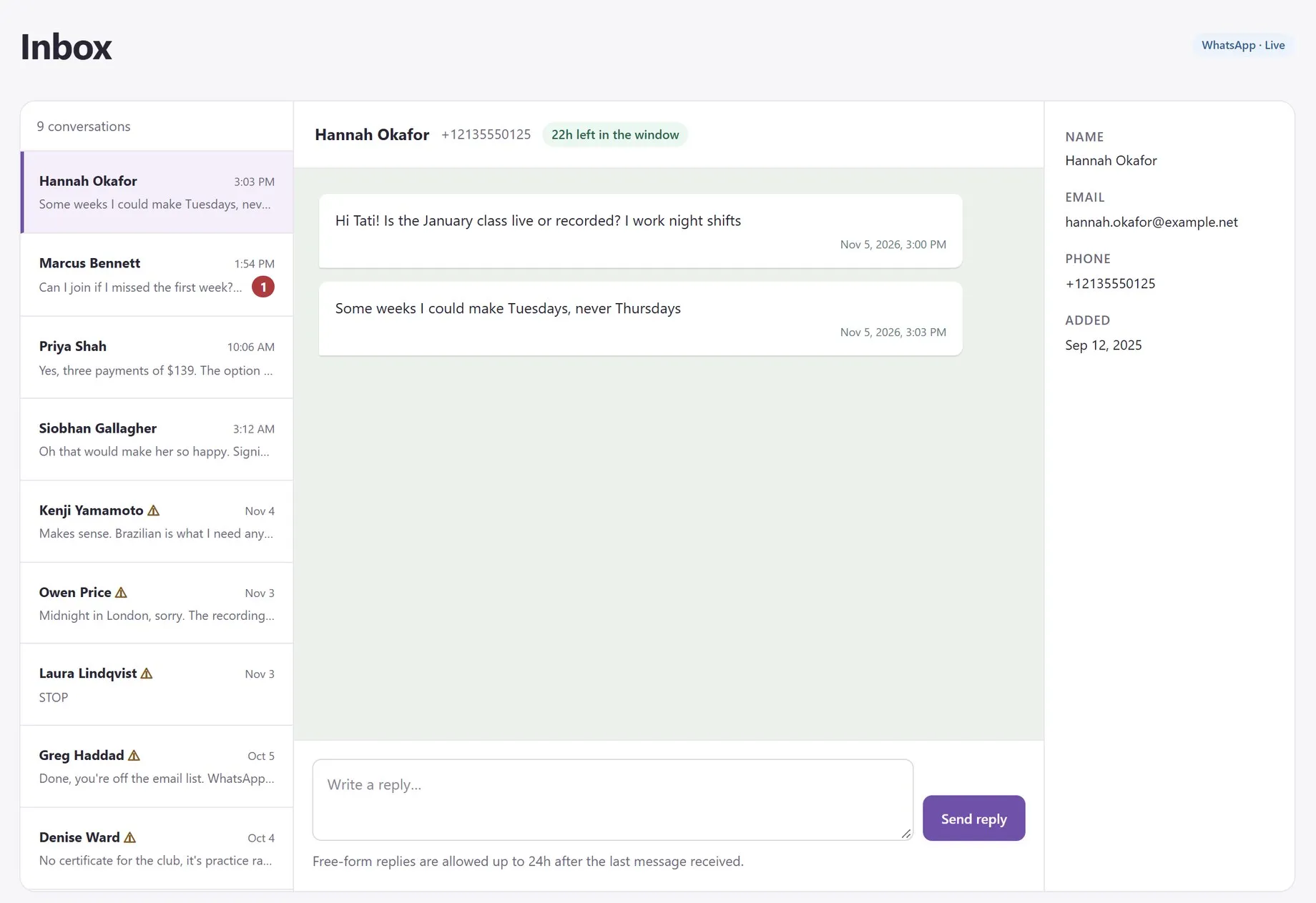
WhatsApp replies arrive in an inbox inside the app. Each conversation shows how much of the 24-hour reply window is left, and the reply box locks when it closes.
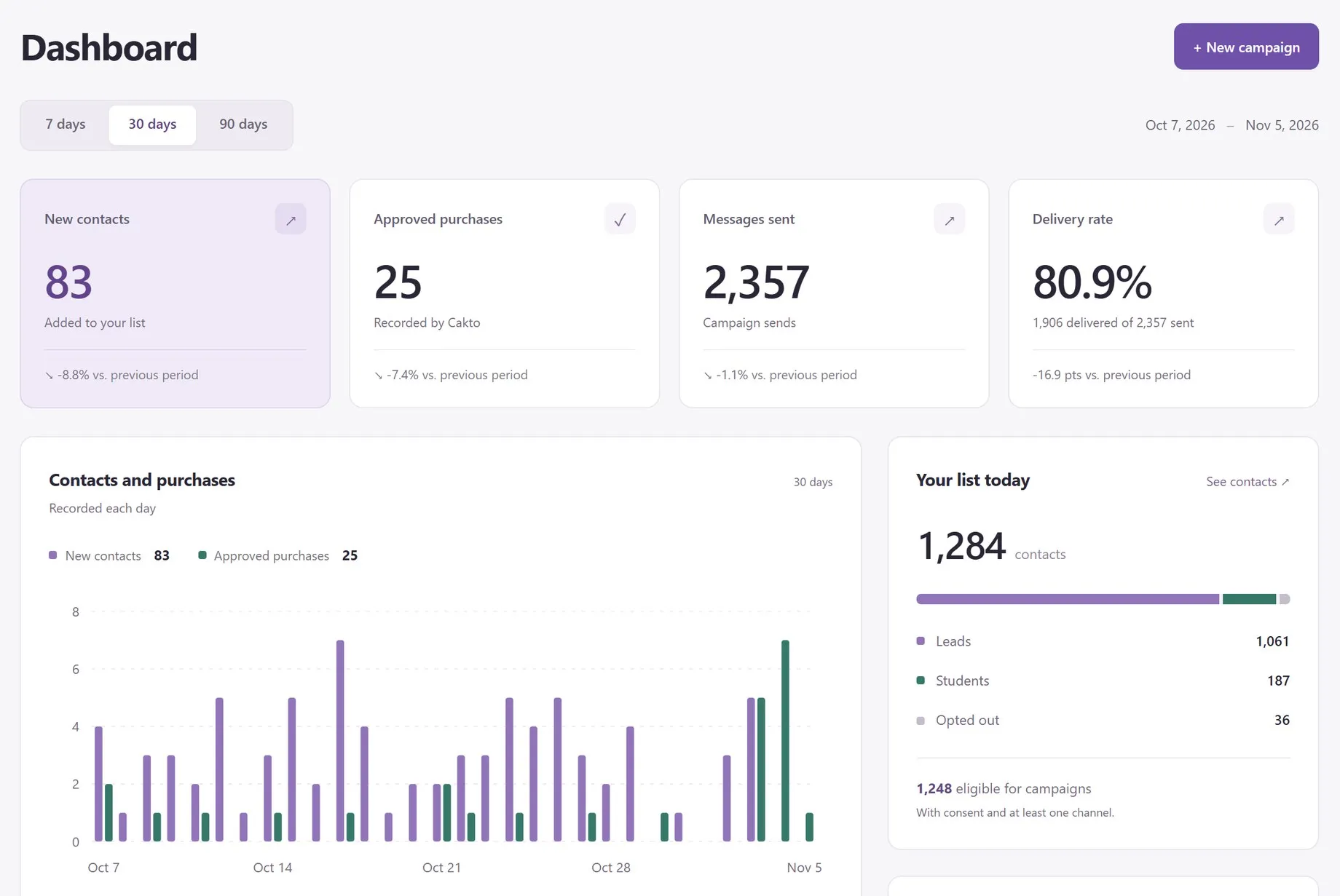
The dashboard compares new contacts, purchases, messages sent and delivery rate with the previous 7, 30 or 90 days, and lists what needs her attention: unread replies, failed sends and messages waiting in the queue. It only shows numbers the data can back up. Purchases aren’t linked to the campaign that led to them, so it has no conversion rate or revenue figure.
How it’s built
The app is server-rendered Node.js and Express with plain JavaScript and SQLite, running as one service on Railway, with no front-end framework or build step. It has 11 screens and receives 5 webhooks. Her signup form runs on Cloudflare Workers and sends new leads to the app.
The first version sent to simulated providers that moved each message through delivered, opened and replied, so she could click through a whole launch before the API accounts were ready. 208 automated tests now cover the sending rules, opt-outs, webhooks and the dashboard figures.